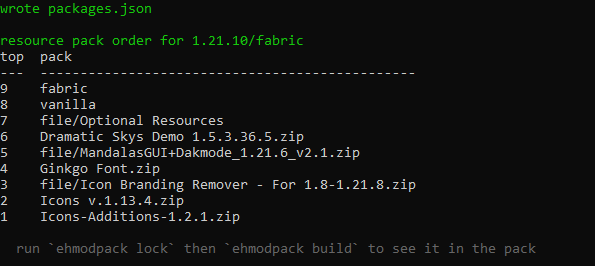
Resource Pack Ordering
Eh's Modpack offers you a way to order Resource Packs in your project, allowing you to activate certain packs (and set their positions) when testing and building.
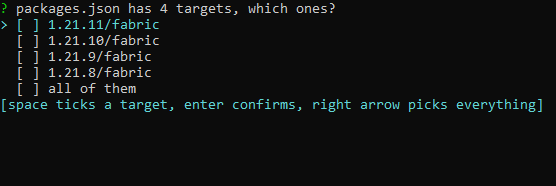
To start run ehmodpack order in a terminal, then pick the version(s) or loader(s) you want to edit, or all of them
After picking the versions or loaders you'll get a list of your Resource Packs from Modrinth, external and built-in loader packs to edit their positions (including the ones from last time)
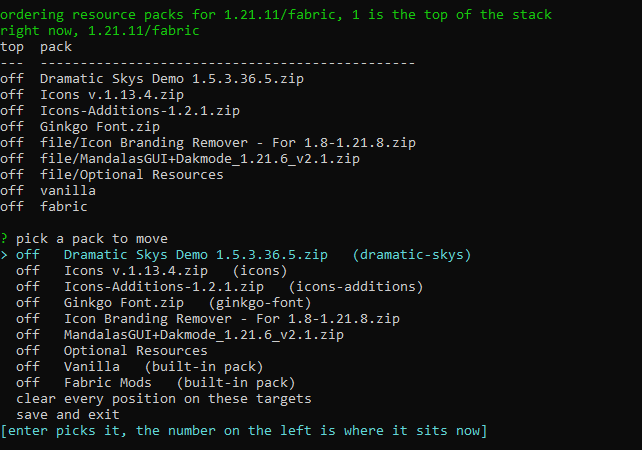
To move a resource pack select it, then pick a position: the very top, the bottom, or a number from 1 to 20 (1 being the top of the stack), once a position is selected press enter to apply it.
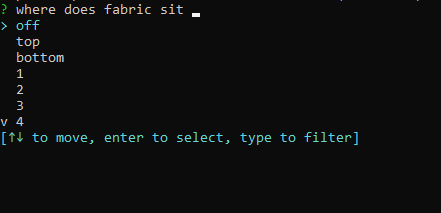
When you're done pick "Save and Exit" to save it, the changes will show up in your modpack once you run ehmodpack lock.