Building & Publishing
Building
Lock the build
To build a modpack of what you have made you must FIRST lock the build with ehmodpack lock until it finishes with the following message: wrote ehmodpack.lock.json

Building the modpack
The time to finish will depend on the version(s), loader(s), content you have added to your project and mostly your internet speed
Then to build your modpack you have 3 ways:
- If the project is a singular version for a loader, run
ehmodpack build - If the project has multiple versions and you want to build for all that's
ehmodpack build --all - If the project has multiple versions but you want to build for one of them run
ehmodpack build --mc <gamever>orehmodpack build --mc <gamever> --loader <loader>
The loader has 3 values you can pass: fabric, quilt and neoforge
Building the modpack might take a while depending on the version(s), loader(s) and content you add as it has to download the mods to verify it is those contents you added
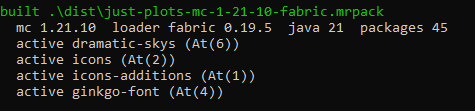
Then after that, the modpack will be in the dist folder by any of the 2 name formats:
<name>.mrpackfor a singular version and loader<name>-mc-<version>-<loader>.mrpackfor more than one version with their loader
Publishing your content
You have 2 methods to publish your modpack to Modrinth:
Using Workflows
If your project is meant to be in a repository like GitHub, there will be automation for you as long as a Tag is created in the Releases tab, you only need to add secrets to it, which you can do by going to Settings --> Secrets and variables --> Actions --> and adding the following for Repository secrets:
MODRINTH_TOKEN(Modrinth Token with Create Versions and Write Versions)
And the one for the Variables tab under Repository variables
MODRINTH_PROJECTUnder your modpack project details --> 3 dots --> Copy ID
Without workflows
Or if you want to keep it closed to yourself and to your computer that's okay too, you can run:
ehmodpack publish
Which will ask for your Token (usually in Personal access tokens) and your Project ID (Under your modpack project details --> 3 dots --> Copy ID)
The token you paste will be saved in your OS' keychain so you don't have to paste it per-project every time, but usually each project will have its project ID to push to
If it asks for a passphrase
That means your OS' keychain wasn't reachable, you need to select a passphrase (like a password) that YOU must know because that would be the only way to load and publish it with your account
Publishing from your computer runs the lock the build process and the building step again before uploading, so it takes a while depending on the version(s), loader(s) and content you added, it has to lock the build, then download the mods to check they are the contents you added, so your internet speed may vary.
Once it uploads, some of the listing gets filled in for you:
- Game versions and loaders, plus whether the pack is client-side or server-side, If you have multiple version(s), each build is done one by one and then the newest is featured, which is usually the version from the
topfield inpackages.json - The changelog comes from
changelog.toml, using the entry with the newest date